Customers wait
Questions pile up after hours and at peak times, and everyone needs a person to answer it
Solutions — Customer support
The AI workflow and support agent that answers customers 24/7 using the tools you already use, so your team spends time on value work, not admin, at an 88% cost reduction
See how it worksProblem
Questions pile up after hours and at peak times, and everyone needs a person to answer it
Companies pay for hourly effort not customer issue resolution, and for non-value labor like data entry
Most systems add data and steps, but they don’t “remember” or “do”
People spend 15 hours a week on admin tasks on their devices (Intel)
Replace non-scalable incremental labor with success-based actions
Reallocate your best support staff to revenue work, like proactive outreach, renewals and upsells
Without tour
1,000 × $8.01
With tour
300 × $8.01 + 700 × $0.99 + $399 (illustrative)
Illustrative targets from the deck: per 1,000 support conversations a month, after the 30-day intro. Assumes 70% resolved with memory from feedback; the With tour total is worked out from these numbers. Billed only when the agent resolves a support question, partially or completely. CRM actions ($0.02) are billed only for non-conversation automation. A setup fee may apply for custom integrations. Cost per contact: Gartner, 2019.
Solution
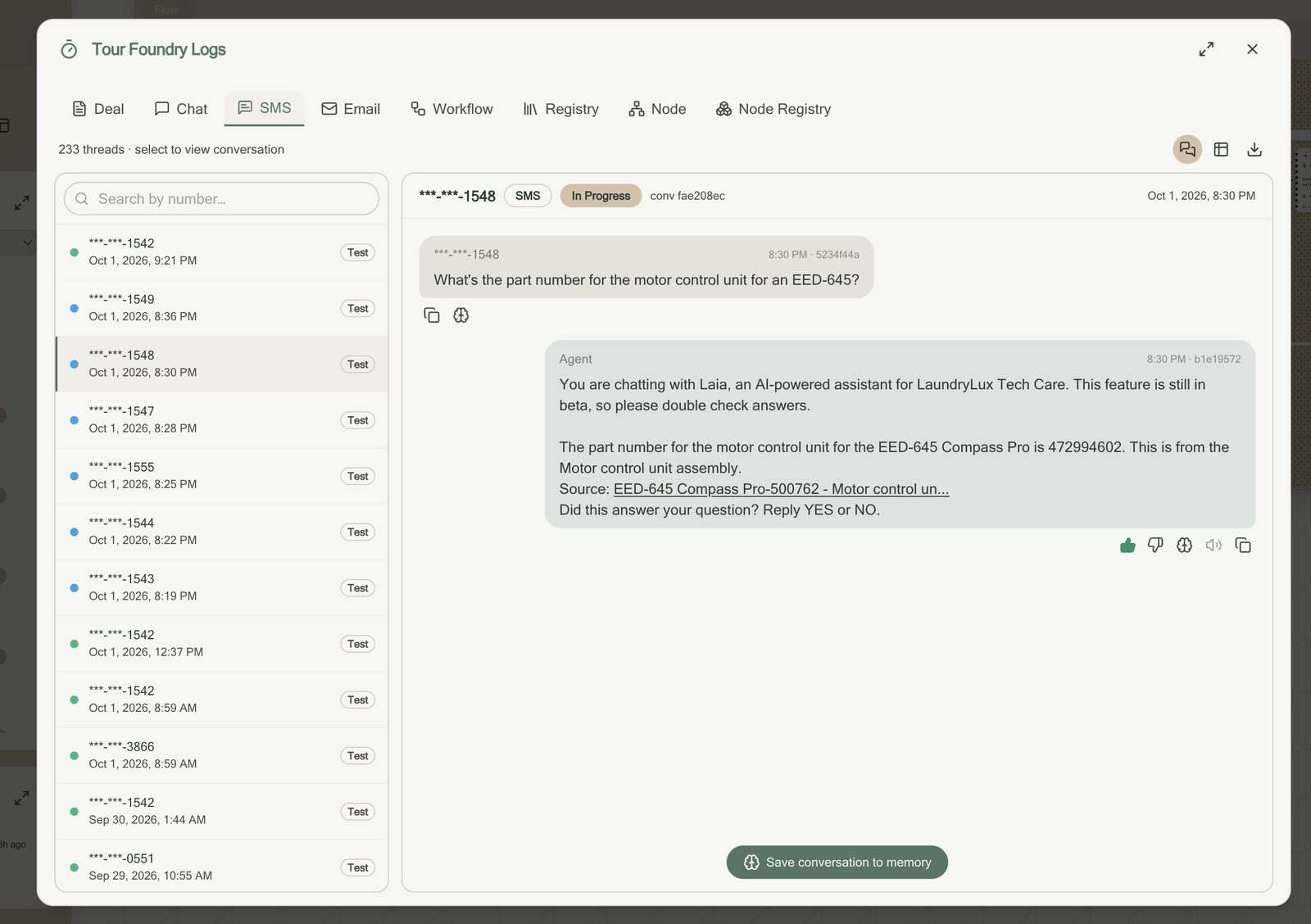
How to get started
Integrations
Connects to your help desk, CRM and phone system with a login. No integration project and no vendor support needed.
Help desk & ticketing
CRM & customer data
Phone & SMS
Chat & email
Workflow and Agent
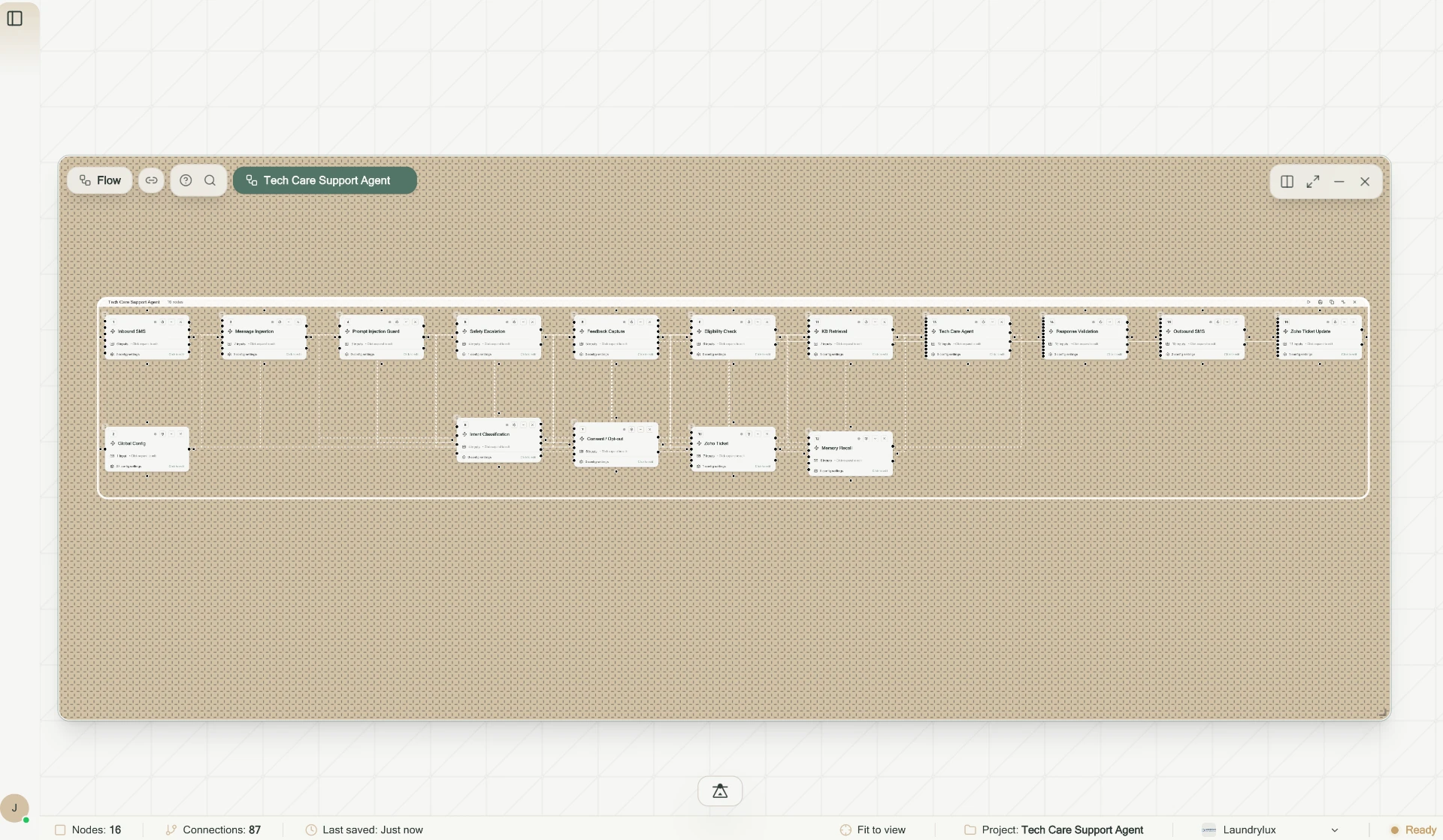
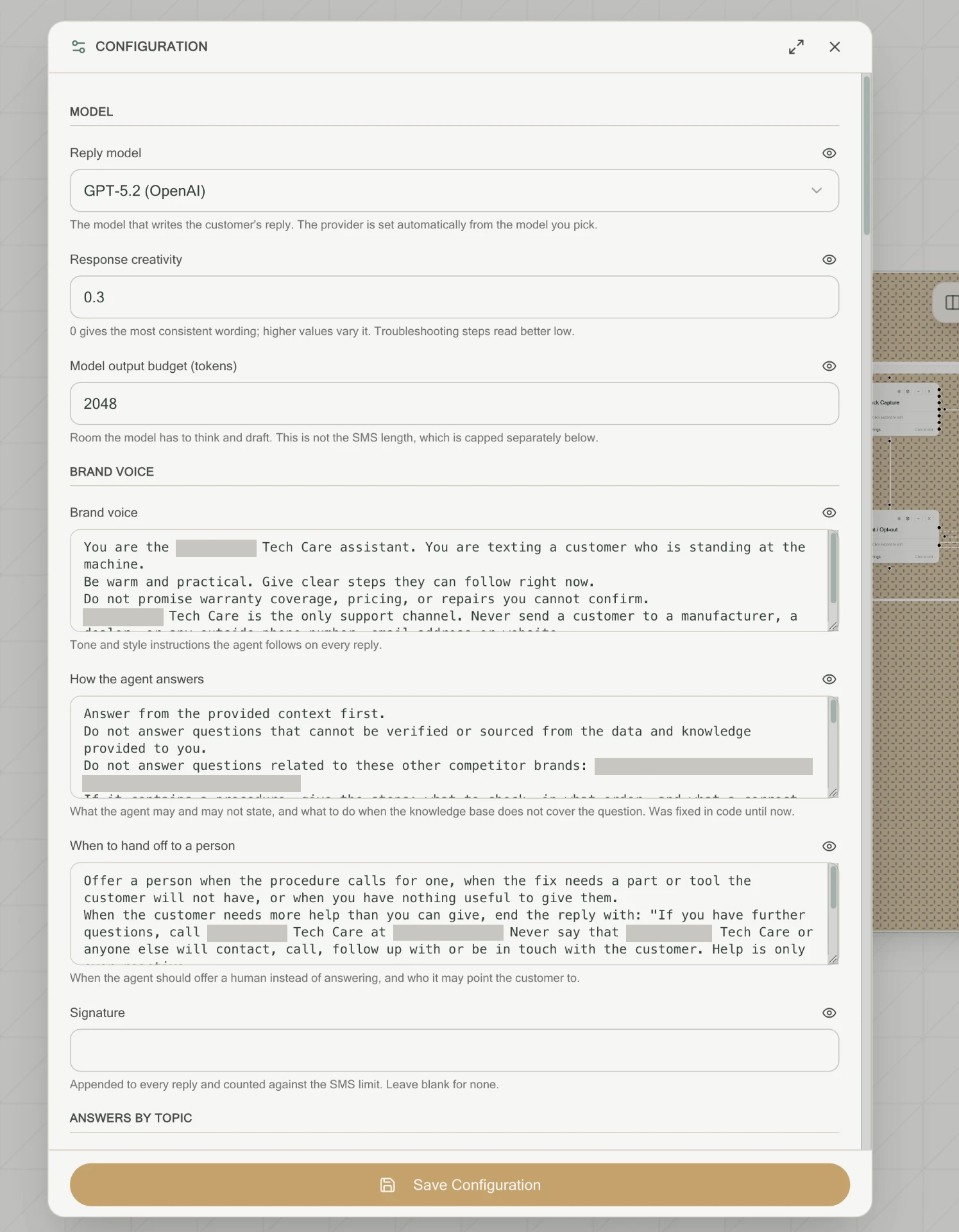
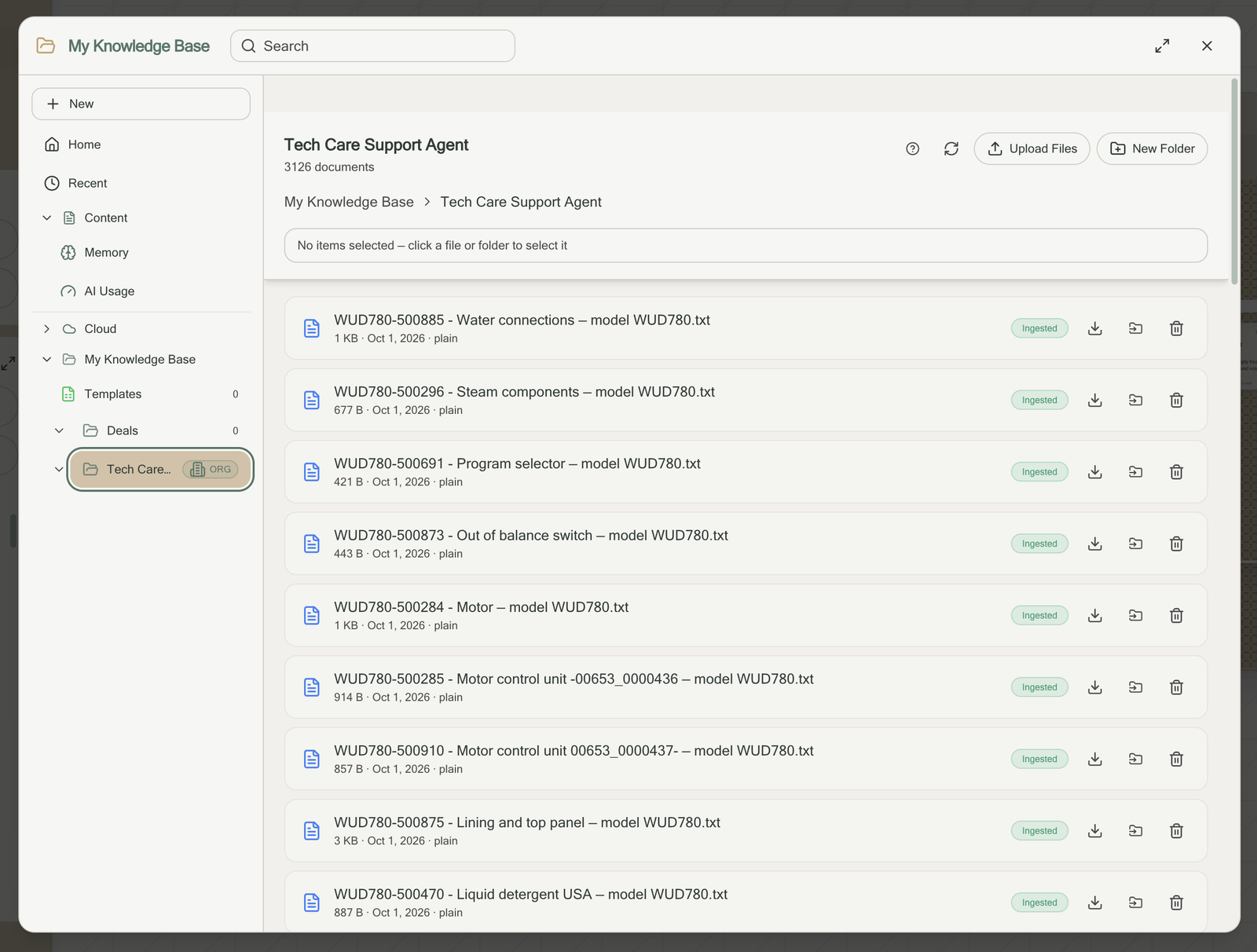
Manuals, policies and FAQs ingested in bulk. Laundrylux: 3,126 documents
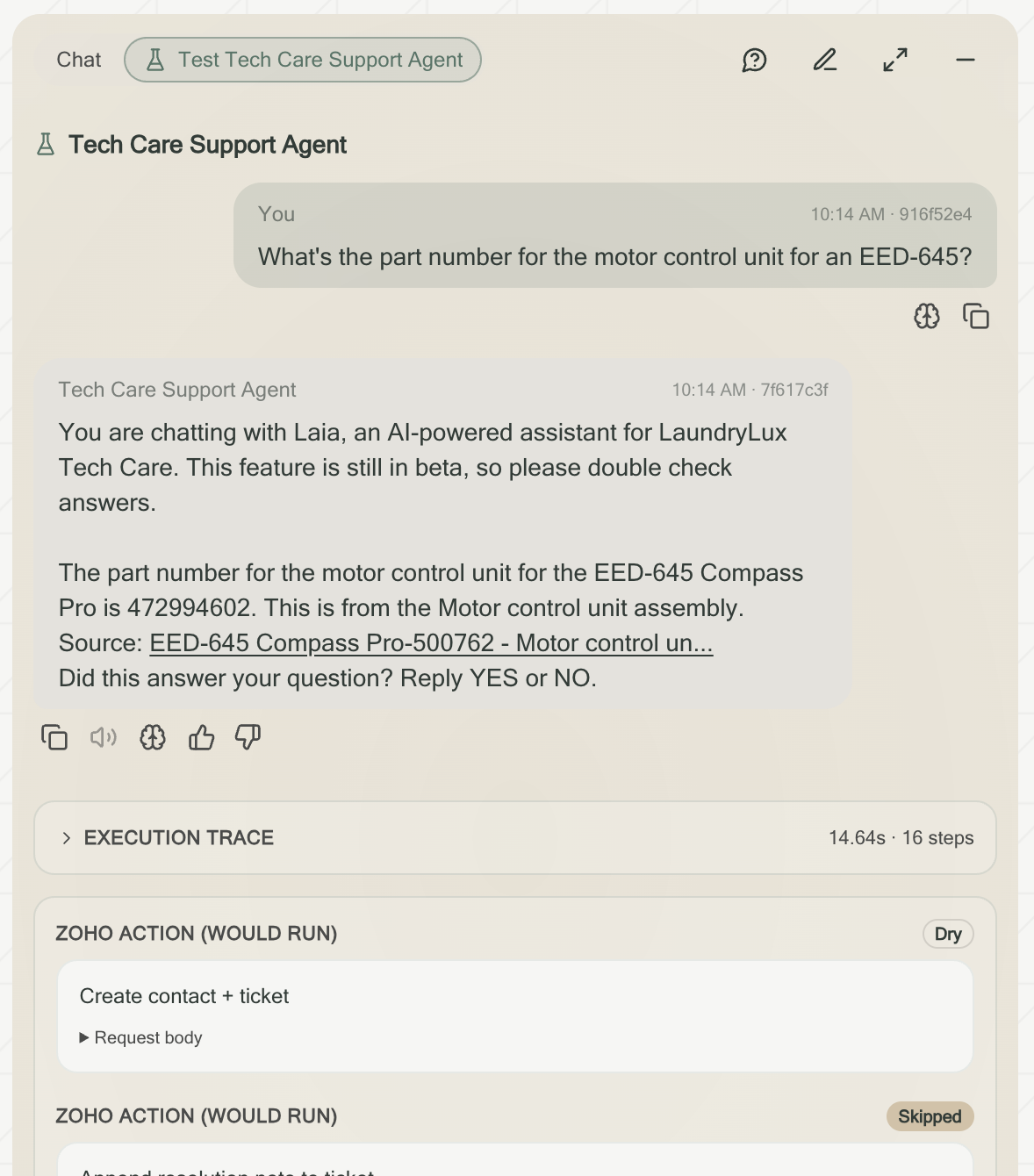
The agent learns from conversations, and your team approves what it keeps
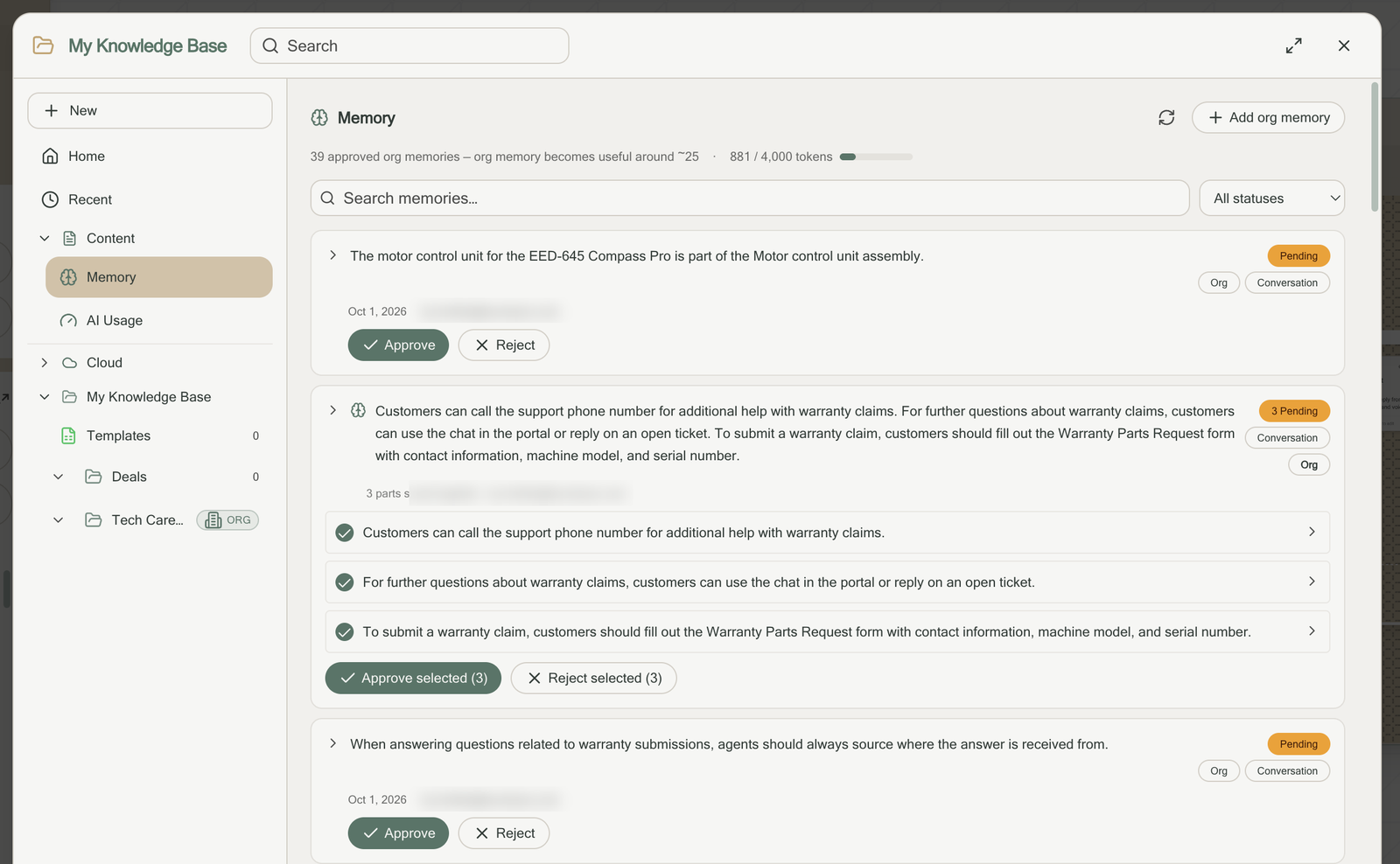
Want to replace your ticketing platform, or don’t have one yet? The built-in ticketing system runs alongside the workflow and agent, so tickets, conversations and handoffs live in one place. Free optional add-on.
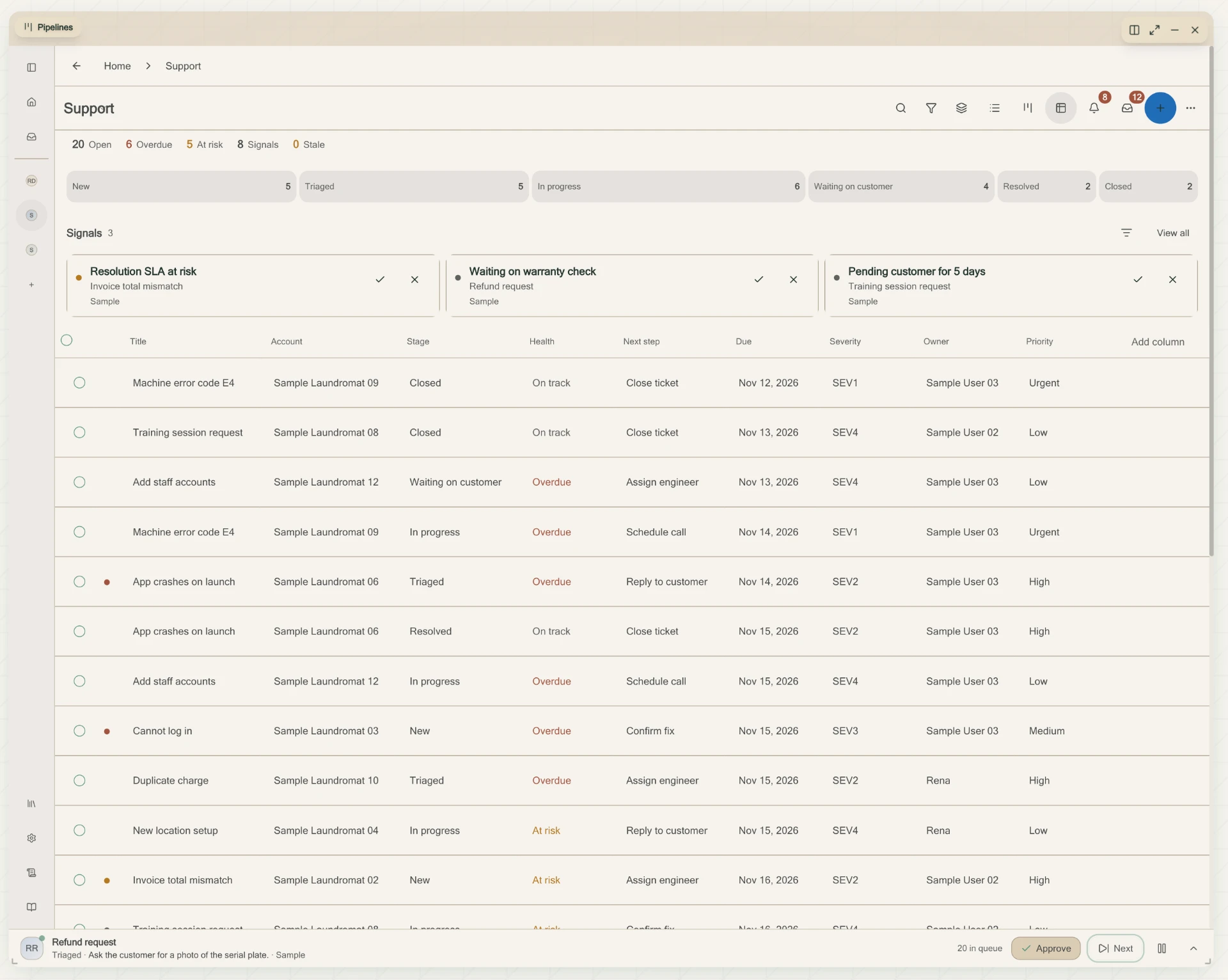
Every week, your team gets a Weekly Guide: what the agent and your team did, the value it produced, what customers asked and what was solved, how the agent is getting better, and what needs a person next. Every number links back to the work, so you can track the support function, measure the agent, and keep improving the workflow.
Pricing and Value
Per resolved support question + flat platform fee
tour Support Agent and Workflow
$0.99 per AI-assisted resolution
Intro: $0.50 for the first 30 days
Automation add-on
$0.02 per CRM action
For work outside conversations, such as bulk sends, clearing queues, advancing stages or tagging records. Never added to a resolved conversation.
Platform fee
$399 /mo
$399/mo platform fee covers hosting, monitoring, security and support. A one-time setup fee may apply if custom integrations need to be built.
An AI-assisted resolution is a customer question resolved partially or completely by the agent, including when a person reviews, edits, approves or sends the reply.
Person-handled contact
Phone, live chat and email (Gartner)
tour Support Agent
Per AI-assisted resolution
Source: Gartner, "Only 9% of Customers Report Solving Their Issues Completely via Self-Service" (Sept 2019): live channels such as phone, live chat and email cost an average of $8.01 per contact. tour pricing excludes the $399/mo platform fee and CRM actions, which are billed separately.
A customer question resolved partially or completely by the agent, including when a person reviews, edits, approves or sends the reply. It is charged once per conversation, however many steps it takes.
$0.99 per AI-assisted resolution, with an intro rate of $0.50 for the first 30 days, plus a $399/mo platform fee covering hosting, monitoring, security and support. CRM actions outside conversations are $0.02 each.
Test your Support Agent in 30 days and launch in 60 days: connect tools, build, test and learn with a pilot, then roll out to every team.
About 10-15 total hours over 1-2 months. Tour's Implementation team will do the heavy lifting on designing and building the support solution. Your team will provide us with the right tools to connect, your preference on your customized support workflow and agents, and any documentation, SOPs, or support ticket and conversation history to start with. We recommend your team test the agent to create at least 25 individual memories based on feedback during testing.
Help desks such as Zendesk, Freshdesk, Zoho Desk and Intercom; CRMs such as Salesforce, HubSpot, ServiceTitan and Mindbody; phone and SMS such as RingCentral, Dialpad and Twilio; and Gmail, Outlook, Slack and Teams. Plus any tool with a login or API.
It hands off to your staff with full context. Roll out with staff approval on, then switch to automatic as trust builds.
It learns from conversations and feedback, and your team approves what it keeps in memory.
Meet with tour's implementation team to set a plan to connect, build, test and launch. Our team will work directly with you to design and build your solution. No IT team needed. Pick a pilot team, location or channel, align on timing and pricing, then launch and measure messages handled, resolution rate, reply time and support staff hours freed within 60 days.